
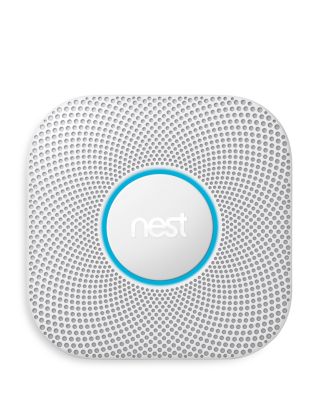
Google NestNest Protect - Wired
Google NestNest Protect - Wired
Product Details
Web ID: 29630353,874 reviewssorted by Newest
Nest Protect
Very easy to install and it has a hard wiring kit avalible in the package. It is definitly louder than your typical alarm .
Recommends this product
Customer review from Google LLC
Slick
Install was quick and easy. Set up was the same. Wish it would sync with Google Home. But Believe this is in the works.
Recommends this product
Customer review from Google LLC
So Far, So Good!
So yeah, set up and installation was easy. It hasn't actually been alerting us of an actual fire (thank goodness), but the testing worked well. The "light' they say illuminates the room when you walk in is underwhelming (as in not really), but yeah, you won't be tripping over anything in the room, because you can at least see what is around (kinda).
Customer review from Google LLC
Response from Google LLC
Hi Caffy, thanks for sharing the details of your feedback about the Nest Protect. We’re sorry to hear that you came across this Pathlight feature issue. We have tested Nest Protect's light brightness range to ensure the best performance while preserving battery life. The default setting is bright enough to light your way in the dark without draining the batteries quickly. Changing the brightness will affect its battery life. Nest Protect’s long-life LEDs have been rated to exceed the product lifetime (7 years for 1st gen Nest Protect, 10 years for 2nd gen), so Pathlight should work for as long as your Nest Protect does. To change settings: - Tap the Settings Nest settings icon on the Nest app home screen. - Scroll down and select the Nest Protect that you want to change settings for. - If you want to change Pathlight brightness, select Brightness. Then choose Low, Medium, or High. If you want to switch Pathlight on or off, Select Nest Sense, then select Pathlight. You can then set Pathlight to On or Off. If you have a wired Nest Protect, you can also choose Always On. Important: The brightness and on/off settings you choose will also affect the Nightly Promise light. However, even if the light is set to off, your Nest Protect will continue to test itself and the Nest app will let you know if everything is OK or if there's a problem. - Changes to Nest Protect’s Pathlight settings will take effect within a day for a battery-powered Nest Protect and within an hour for a wired Nest Protect. A clock icon in the app indicates the pending change. - To update Pathlight settings immediately, press the button on your Nest Protect once. We’re always here to help improve your experience and you’ll find us available through our support channels here: https://support.google.com/googlenest/gethelp
Easy Peasy
Super easy to install and connect. Love the bonus night light :)
Recommends this product
Customer review from Google LLC
Best smart smoke and Carbon monoxide detector
Best smart smoke and Carbon monoxide detector. I would recommend this product.
Recommends this product
Customer review from Google LLC
Love it!
The Google Nest was simple to set up and it is easy to check with the app.
Recommends this product
Customer review from Google LLC
Great
Great product, looks amazing, easy to install. Only wish is that I was able to add the products to my google home app.
Recommends this product
Customer review from Google LLC
Great Product
No more annoying beeps in the middle of the night. Thank God.
Recommends this product